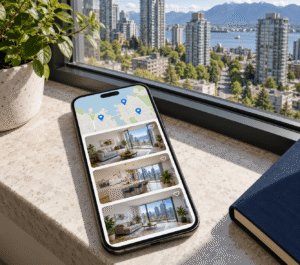
Automate 80+ Weekly Showings with Leasey.AI
Handling 80+ showings per week creates scheduling chaos and lost leads. Book a free demo to see Leasey.AI automate bookings, reduce no-shows, and save staff time.
Book Your Free Demo
How Scheduling Automation Makes High-Volume Weekly Showings Possible for Leasing Teams
Scheduling automation for leasing teams moves booking and calendar work from manual emails and spreadsheets to a showing scheduler and appointment automation layer. The showing scheduler system enforces booking rules, availability windows, and lead prequalification. Core functions include two-way calendar sync (Google/Outlook/iCal) to prevent double-booking and automated confirmations and SMS/email reminders to reduce no-shows. Customer Relationship Management (CRM) and Property Management (PM) integration and Application Programming Interface (API) integrations enable routing optimization and capacity planning. Analytics & KPI tracking monitors vacancy reduction and lead-to-visit performance. Automation auto-blocks buffers and routes qualified leads to open slots, unlike manual calendar management where agents block travel time and reconcile overlapping requests. Success requires clear data-use policies and staff training so calendar permissions, prequalification filters, and booking rules are configured correctly.Components for Ensuring 80+ Weekly Showings Are Successful
Scaling to 80+ weekly showings requires a centralized showing scheduler. This scheduler must include mandatory lead prequalification and configurable booking rules, such as minimum notice requirements and travel buffers. Two-way calendar sync eliminates double-booking, and automated confirmations/reminders (SMS and email) lower no-shows. CRM/PM integration and API access enable routing optimization and analytics & KPI tracking, allowing you to measure capacity and vacancy impact. Implement role-based availability windows and capacity limits so the system assigns showings based on team member, skillset, and travel time while preserving manual override for exceptions. Hidden trap: don’t assume a single “sync” solves conflicts – test shared-calendar mappings and permission scopes before rolling out across teams. Troubleshooting tip / immediate next step: run a two-week pilot on one property or team. Enable two-way sync, enforce a prequalification form, track no-shows and lead-to-visit conversion weekly, then adjust booking rules based on real data.Why Manual Coordination of High-Volume Weekly Showings Becomes Impossible for Leasing Teams
Each showing involves several human touchpoints: initial contact, availability checking, manual booking, calendar updates, confirmations and reminders, the on-site showing, travel, and CRM follow-up. One showing requires approximately 60–65 minutes of staff time, based on conservative estimates for booking coordination (8 minutes), confirmations (3 minutes), the showing itself (30 minutes), travel (15 minutes), and CRM notes (5 minutes). At 80 showings that equals about 80–90 staff-hours per week. Manual booking requires staff availability during evenings or weekends to meet response SLA pressure and after-hours lead contact demands, preventing missed leads and longer vacancy days. Counter-intuitive insight: Adding headcount often increases coordination overhead, such as syncing more calendars or preventing double-booking. Therefore, hiring alone rarely solves scale problems without appointment automation and strict booking rules.Identifying Hours and Bottlenecks in Manual Coordination
Calendar sync failures across Google, Outlook, and iCal can cause double-booking. Lack of booking rules and availability windows forces manual conflict resolution. Furthermore, no routing optimization inflates travel time and reduces capacity. Missing CRM/PM integration and API integrations mean confirmations & reminders aren’t automated, increasing admin minutes per showing and higher no-show risk. Without analytics & KPI tracking you can’t quantify vacancy reduction or staff capacity needs. To automate this process, clear calendar access permissions and data-usage policies must be established before deployment. Immediate next step: run a 30-day time-and-touch audit to log minutes per booking stage. Also, pilot an automated showing scheduler on about 10% of listings to measure staff-hour reduction and queue-clearing effects.
Operational Failures for Leasing Teams When Coordinating High-Volume Showings Without Automation
Manual processes for running 80+ weekly showings cause specific failures. These include double-booking and overlapping availability windows. Routing inefficiency and high no-show rates also occur. Inconsistent confirmations and reminders (SMS/email), lead drop-off, poor analytics and KPI tracking, and gaps in compliance or record-keeping are other issues. These failures cause extended vacancy days, resulting in lost rent. They also waste agent hours and overtime, which drives team burnout. Furthermore, these failures lower lead-to-lease conversion and elevate legal or audit risk from missing logs. Track weekly operational KPIs like lead-to-lease conversion, average time-to-lease, and no-show rate. Compare these metrics against resource hours to quantify revenue and productivity loss, then determine if appointment automation or a showing scheduler is needed.How Failures Compound at Scale and Practical Fixes
Calendar management is key. What is manageable at 5–10 weekly showings becomes chaotic at 80+ because reconciliation and exception handling grow non-linearly. Double-booking and calendar drift force managers into frequent manual interventions. Teams can mitigate this by enforcing two-way calendar sync (Google/Outlook/iCal) with hard booking rules that block overlaps. Require lead prequalification before confirming a slot and set standardized availability windows so agents are not assigned conflicting routes. Reduce no-shows and routing waste by enabling confirmations & reminders (SMS/email). Integrate CRM/PM with routing optimization and capacity planning. Log every booking event into analytics and KPI tracking for operational review and vacancy reduction efforts. This approach requires clear calendar ownership and data-privacy policies. As an immediate next step, run a calendar-sync audit for the past 14 days, flag conflicts, and apply a hard overlap-blocking rule while piloting appointment automation on your busiest properties.Quantitative Data Justifying Scheduling Automation
- Annual showing volume: Coordination becomes increasingly burdensome at scale with 80 showings/week equating to 4,160 showings/year, where manual scheduling causes compounded overhead.
- Administrative time savings: Leasey.AI reports 20+ hours saved per listing, so automation directly reduces leasing admin burden for operations teams.
- Vacancy impact: Automated scheduling shortens time-to-lease; Leasey.AI cites a 60% reduction in vacancy periods from workflow automation.
- Conversion and response lift: Automated leads plus scheduling can lift conversions – Leasey.AI reports a 150% lead-to-lease increase and 400% response improvement.
- Hidden trap – scaling assumption: Expecting staff to scale linearly is a mistake; at 80+ weekly showings mistakes, double-bookings and context-switching multiply rapidly.
- Simple ROI formula: Break-even = $299/month ÷ hourly wage → required monthly hours saved, giving procurement a clear, testable ROI threshold.
How Showing Scheduling Automation Solves High-Volume Coordination Problems with Measurable Outcomes
Map each feature directly to the measurable outcome you want. Enable calendar sync (Google/Outlook/iCal) with two-way updates and 10–15 minute buffers to eliminate double-booking and reduce manual calendar checks. Enforce booking rules and availability windows to cap daily showings per unit for capacity planning and predictable agent workloads. Apply lead prequalification rules (income, move-in date, pet policy) to filter out unqualified leads so agents spend time on higher-probability prospects. Use appointment automation for instant booking links plus confirmations & reminders (SMS/email) to reduce no-shows and shorten lead-to-showing time. Add routing optimization and clustered bookings to reduce drive-time per agent and increase showings per shift. Integrate with your CRM/PM via APIs. This allows analytics and KPI tracking to measure the lead-to-showing rate, no-show rate, agent hours per showing, and vacancy reduction in one dashboard. Sample time/ROI calculation (example): 80 showings/week × 15 minutes coordination per showing = 20 hours/week of coordination time. If automation reduces coordination to 5 minutes, that saves 10 hours/week (≈520 hours/year). At $30/hour that is $15,600/year in labor saved; add reduced vacancy days (track average rent/day × vacancy days avoided) to calculate total ROI. Your specific savings will differ by wage, travel time, and no-show reduction. Counter-intuitive insight: operational gains usually result from reducing coordination and follow-up time. Prioritize prequalification and automated confirmations instead of trimming onsite tour length. Implementing this change requires accurate calendar ownership and explicit data/privacy rules before rollout to avoid calendar conflicts and SMS/email compliance issues.Pilot Execution and Troubleshooting Steps for Success
Immediate next step (pilot and troubleshooting): run a 30–60 day pilot on a subset of properties and track weekly Key Performance Indicators (KPIs) – showings scheduled, no-show rate, average agent hours per showing, lead-to-lease time, and vacancy days saved – and use this formula to estimate ROI: (hours_saved_per_week × hourly_rate × 52) + (vacancy_days_saved_per_year × average_rent_per_day × units_impacted) − annual_subscription_cost. To troubleshoot, if double-bookings continue, first audit calendar permissions and timezones. Then temporarily disable direct-write access for personal calendars while you correct availability windows; document booking rules and enforce them centrally before scaling.
How to Evaluate and Choose the Right Showing Scheduling Solution for High-Volume Leasing Teams
Selecting a scheduling solution requires two-way calendar sync (Google/Outlook/iCal) and CRM integration. It also needs property management (PM) integration and appointment automation to handle booking rules, availability windows, and confirmations/reminders (SMS/email) without manual entry. Insist on a flexible rules engine that enforces per-property booking rules, capacity planning, routing optimization, and lead prequalification to prevent double-booking and reduce no-shows. Also, verify API integrations and exportable analytics and KPI tracking for operational reporting. Before rollout, evaluate calendar reliability (uptime/SLA) and mobile UX for agents and prospects. Also, assess team pricing based on capacity, not per-user seats, and review security/compliance controls like encryption, audit logs, Single Sign-On (SSO), and data retention. Understand data usage policies and a mapped inventory of existing calendars and listing ownership to avoid migration errors. A counter-intuitive insight is that at 80+ showings weekly, a robust rules engine and reliable sync matter more than a polished mobile UI.Ask Vendors Key Questions and Run Technical Checks
When evaluating vendors, ask: do you support real-time two-way calendar sync and which PM/CRM platforms are prebuilt? Can the rules engine block overlapping appointments, enforce custom availability windows per listing, and optimize routing for in-person tours? Do you provide Representational State Transfer (REST) APIs, webhooks, and audit logs? What are SLA response times and support options for pilots? For technical checks: connect a staging calendar and test for double-booking and sync latency. Exercise agent mobile flows and offline behavior, export reports to confirm analytics & KPI tracking, and validate SMS/email deliverability and reminder timing. Security checks: request SOC2 (or equivalent) evidence or a security questionnaire, confirm encryption at rest/in transit, SSO/OAuth support, and configurable data retention. Troubleshooting tip / immediate next step: run a 2-week pilot on 10–15 active listings simulating your 80+ weekly showings. Measure lead-to-show conversion, time-to-book, no-show incidents, and any double-booking events before committing to full rollout.Benefits and Wins from Automating Scheduling for High-Volume Showings
- Regional leasing managers: Predictable calendars enable accurate staffing forecasts and reduced overtime for multi-site portfolios.
- Counter-intuitive insight: Automated confirmations and self-scheduling reduce no-shows more effectively than simply adding agents, by matching prospect availability.
- Hidden trap – tools gap: Relying on email and spreadsheets causes missed calendar syncs and lead loss without a live, API-connected scheduler.
- IT / procurement benefit: Platforms with APIs, Single Sign-On (SSO) and partner integrations (e.g., Certn, SingleKey) shorten deployment and reduce vendor friction.
- Agents and brokers: Agents reclaim admin hours for revenue activities; Leasey.AI customers report a 70% productivity boost after automation.
- Scale of severity – compliance & reporting: At portfolio scale, automated audit trails prevent reporting errors and reduce investor and legal risk.