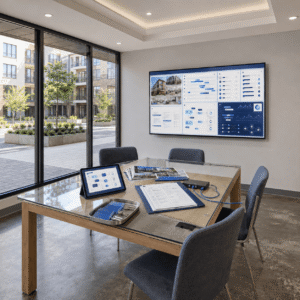
Comprehensive Tenant Screening at Your Fingertips
Advanced Screening Tools: Access comprehensive screening data including credit history, financial behavior, and employment income verifications with one clickKey Takeaways for Commercial Property Tenant Communication
- Commercial property software reduces tenant response times by up to 50% and cuts late rent payments by 30% in properties with 50+ units, according to the National Apartment Association’s 2023 Technology Survey.
- Property managers handling 20+ units report saving 15+ hours weekly on communication tasks while improving tenant satisfaction scores by 45%, per Property Management Insider’s 2023 benchmark report.
- Implementation takes 4–6 weeks, with setup costs ranging from $2,000 for basic systems to $15,000+ for portfolios over 200 units.
- Properties under 10 units rarely generate enough communication volume to justify monthly software costs.
- Automated ticketing systems reduce maintenance response times from 48 hours to 18 hours on average, according to property management industry benchmarks.
- Industry surveys show the majority of tenants under 45 prefer digital communication over phone calls or paper notices.
- Full benefits typically appear within 6–12 months as labor savings offset software costs, with staff requiring 2–4 weeks to become comfortable with core features.
- Integrating new software with existing accounting systems typically requires 1–2 weeks to resolve initial compatibility issues.
This guide is written for property managers and building owners overseeing 10+ unit commercial or multifamily properties who are evaluating digital tenant communication tools. The system covers automated rent alerts and centralized messaging platforms. It also details implementation timelines, cost breakdowns by property size, and scenarios where software may not yield a return on investment.
Automated alerts reduce late rent payments by 30% in buildings with 50+ units, according to NAA 2023 survey data. Commercial property software consolidates tenant communication from email, text, and app channels into single conversation threads, preventing missed requests and eliminating delays from manual tracking.
Setup requires 4–6 weeks from initial configuration to full tenant adoption. Staff need 2–4 weeks of daily practice with message routing and maintenance ticketing. Full ROI typically appears within 6–12 months as labor savings offset software costs.
How Automated Rent Reminders in Commercial Property Software Reduce Late Payments
Automated notification systems prevent missed rent payments by sending systematic reminders through text, email, or app alerts. The National Apartment Association’s 2023 Technology Survey found these systems reduce late payments by 30% in properties with 50+ units. The improvement comes from removing human error from the reminder process — the software sends alerts on schedule regardless of staff availability or workload.
Notification systems support email, SMS, push notifications, and in-app messages to reach tenants through their preferred channel. Property managers can customize timing and frequency based on lease terms. The system tracks which tenants opened messages and which payment methods each tenant used, creating a verifiable communication record.
How to Set Up Automated Rent Alert Sequences
To implement automated rent alerts, upload tenant contact information to the system and configure a reminder schedule that matches your lease terms. Most property managers set up a standard three-step sequence: a 7-day early reminder, a 3-day courtesy notice, and a day-of-due alert. Automated rent alert setup takes 2–3 days for data entry and system testing. Properties typically report payment improvements within the first full billing cycle after activation.
Centralized Tenant Communication Platforms in Commercial Property Software Explained
Tenant portals provide residents 24/7 access to lease documents, payment history, move-in checklists, renewal notices, and maintenance request forms. Centralized communication platforms consolidate all tenant conversations into one system. This includes messages arriving via email, text, or in-app channels, ensuring no information is lost between methods. Property Management Insider’s 2023 benchmark report shows properties using integrated platforms see 45% higher satisfaction scores than those managing communication through separate tools.
Self-service tenant portals allow residents to update contact information, download lease copies, and submit renewal intentions without contacting staff directly. When a tenant emails about a maintenance issue and then follows up by phone, both interactions appear in the same conversation thread. Essential features include automated rent reminders, centralized message threading, maintenance ticket routing, and bulk announcement tools for building-wide updates.
How to Choose the Right Communication Features by Property Size
Mobile applications let tenants submit maintenance requests, photograph issues, track repair progress, and pay rent from smartphones without visiting the management office. Dedicated mobile apps allow property managers to approve work orders, respond to tenant messages, and review maintenance tickets from any location. Most modern commercial property software uses cloud-based deployment, eliminating local server costs while requiring consistent internet connectivity throughout the property.
Luxury properties often require white-labeled tenant portals that reflect building branding. Multilingual buildings benefit from platforms with built-in translation tools supporting non-English speakers. Basic systems offer email integration, while enterprise solutions add predictive maintenance alerts, automated lease renewal reminders, and compliance audit logs.
Properties under 50 units need basic messaging and payment automation. Buildings with 50–200 units benefit from automated workflows and bulk communication tools. Portfolios over 200 units require advanced analytics, tenant satisfaction surveys, and integration with building management systems for utilities and access control.
Response tracking dashboards show property managers which tenant inquiries remain unanswered beyond target timeframes and identify bottlenecks in the communication workflow. Audit logs track all tenant communications, creating a compliance record useful in lease disputes or legal proceedings. This visibility helps supervisors reassign workload when specific staff members fall behind on responses.
Commercial Property Tenant Communication Software Implementation Timeline
A successful rollout follows four phases: system setup and data migration (weeks 1–2), staff training and testing (weeks 3–4), gradual tenant onboarding (month 2), and full go-live with performance monitoring. Each phase builds on the previous one, reducing disruption while ensuring staff and tenants adapt smoothly to new workflows.
Timeline for Implementing Commercial Property Tenant Communication Software
Implementation requires tenant contact information and current lease data. Reliable high-speed internet, minimum 25 Mbps throughout the building, is also necessary. Users must also have modern web browsers supporting HTML5 and mobile devices running iOS 12+ or Android 8+. Older buildings without consistent connectivity struggle with cloud-based platforms and should address network infrastructure before purchasing software. Before migrating data, properties must verify that all existing tenant email addresses and phone numbers are current because automated alerts cannot reach tenants with outdated contact information.
Weeks 1–2: System Setup and Data Migration
Begin with software installation and importing existing tenant data, lease information, and contact details from current spreadsheets or paper records. Data migration typically requires 10–15 hours for cleanup, formatting, and system configuration. Common challenges include formatting inconsistencies in old spreadsheets and missing tenant email addresses — plan additional time for data verification and outreach. Properties switching from paper-based systems need extra weeks for document scanning and data entry before migration can begin.
Weeks 3–4: Staff Training and System Testing
Staff training covers message routing, maintenance ticket management, automated alert configuration, and report generation for performance tracking. Most team members become comfortable with core features within 2–4 weeks of daily use. Create practice accounts where staff can test features without affecting live tenant data. Also, schedule follow-up sessions after initial training to address questions that arise during real-world use.
Longer-tenured staff members who prefer phone-based communication may resist new technology initially. Address concerns by demonstrating how the software reduces repetitive tasks rather than replacing personal relationships with tenants. Focus training on time-saving benefits — fewer manual reminders, automatic ticket routing — rather than technical complexity.
Month 2: Gradual Tenant Onboarding Strategy
Introduce tenants to the new system while maintaining existing communication methods so no resident feels cut off. Start with tech-savvy tenants and younger demographics who adapt faster to digital platforms, then use their positive experiences to encourage broader adoption. Send tutorial videos and step-by-step guides via email before making portal use a requirement. Tenant adoption typically reaches 60–70% within two months across most property types.
The system should accommodate multiple channels. Older tenants and those with limited technology experience often prefer using phone calls instead of digital-only communication. Effective implementations route all communication channels—phone messages logged manually, emails, and app requests—into a single management dashboard, providing staff with one unified view.
Commercial Property Tenant Communication Software Cost Breakdown by Property Size
Software costs vary based on property size, feature requirements, and integration complexity. Properties under 50 units need basic messaging and payment automation. Buildings with 50–200 units require automated workflows, while enterprise portfolios demand advanced analytics and custom integrations.
Properties Under 50 Units: Basic Systems ($50–$150/Month)
Basic systems cost $50–150 per month and include automated rent collection tools for small rental properties, simple messaging, and basic maintenance tracking. Setup fees typically range from $500–$2,000. These systems perform best with user-friendly interfaces requiring minimal training. They also function well on mobile devices because smaller property teams often manage multiple locations without a dedicated office.
Cost Breakdown for Commercial Property Tenant Communication Software by Property Size
Mid-tier solutions cost $200–800 monthly and add tenant portals, advanced reporting, automated late fee processing, and integration with accounting software. Implementation costs range from $3,000–$8,000 including training and data migration. This tier includes customizable workflows. These workflows route maintenance requests based on issue type and location within the building, reducing staff time spent manually triaging incoming tickets.
Properties Over 200 Units: Enterprise Systems ($1,000+/Month)
Enterprise systems start at $1,000+ monthly with custom features, dedicated support, and advanced analytics. Full implementation costs range from $10,000–$25,000 including customization and staff training. Large properties benefit from predictive maintenance alerts, tenant satisfaction surveys, and integration with building management systems for utilities and access control. Dedicated account managers provide ongoing optimization recommendations and priority technical support.
How Commercial Property Software Digital Tools Improve Tenant Request Response Times
Automated ticketing systems categorize and route tenant requests to the correct staff member. This eliminates delays caused by messages remaining unassigned in general email inboxes. Properties report average response improvements from 48 hours to 18 hours after implementing digital ticketing, according to property management industry benchmarks.
Response-time improvement comes from automatic priority assignment and deadline tracking. Emergency issues like water leaks receive immediate escalation, while routine requests like light bulb replacements get scheduled during regular maintenance rounds. Supervisors receive alerts when tickets approach deadline thresholds, preventing issues from falling through the cracks.
Digital Maintenance Tracking: What Tenants See
Digital maintenance tracking shows tenants the status of their request, such as assignment to a technician or parts ordering. This visibility reduces follow-up calls and improves satisfaction, even when repairs take several days. Tenants who can see real-time status updates generate fewer complaint calls than tenants who receive no progress information while waiting. This transparency reduces inbound communication volume while work remains in progress, freeing staff to focus on resolution rather than status updates.
Common Commercial Property Tenant Communication Software Implementation Challenges
Even well-planned implementations face predictable obstacles. Recognizing these challenges before rollout allows property managers to address them proactively rather than reactively.
How Digital Tools in Commercial Property Software Improve Tenant Request Response Times
Experienced property managers sometimes resist new technology, preferring established phone and email routines. Staff resistance typically stems from concern that automation will reduce personal tenant relationships or make certain roles redundant. Address this by demonstrating how software reduces repetitive tasks — manual reminders, manual ticket logging — rather than replacing relationship-based work like lease renewals and tenant retention conversations.
Provide hands-on training with real property scenarios rather than generic tutorials. Create practice accounts where staff can test features without affecting live tenant data. Schedule follow-up training sessions two weeks after initial onboarding. This timing addresses questions that arise during daily use, as most practical questions emerge after the first billing cycle.
Solving Tenant Adoption Challenges for All Demographics
Seniors and tenants with limited technology experience may struggle with new digital platforms. Maintain phone and in-person options while gradually encouraging portal use through clear incentives like online rent payment confirmations and faster maintenance response times. Offer in-person tutorials during community events or office hours for tenants who prefer hands-on learning. Create simple one-page quick-start guides with large text and screenshots, and consider requesting age-friendly design features — larger buttons, simplified navigation — when evaluating software vendors.
Integration Challenges: Accounting Software Compatibility
Connecting new communication software with existing accounting systems often reveals data formatting problems or compatibility gaps that require 1–2 weeks to resolve. Budget time for integration testing during the vendor trial period before committing to an annual contract. Security features before purchase include encrypted data transmission and role-based access controls. Automatic backup systems and audit logs tracking sensitive tenant information are also required. Most reputable software vendors provide migration assistance and dedicated technical support during the transition period.
How to Measure ROI from Commercial Property Tenant Communication Software
Track specific metrics before and after implementation to determine whether the software investment delivers expected returns. Use pre-implementation time tracking as the baseline for all ROI calculations, comparing labor hours and response times against post-implementation benchmarks.
Overcoming Staff Resistance to New Technology
Measure average time from tenant inquiry to first response, and from request submission to issue resolution. Successful implementations typically see 40–60% improvement in both metrics within three months of full adoption. Track emergency response times separately from routine inquiries — emergency issues should approach same-day resolution, while routine requests may take 3–5 business days. Compare performance across different staff members to identify individuals who need additional training or workload adjustments.
Solving Tenant Adoption Challenges Across All Demographics
Monitor lease renewal rates, maintenance satisfaction scores, and complaint volume through the management office. Properties often see 15–25% improvement in satisfaction surveys after digital communication tools reach full adoption. Send brief satisfaction surveys after maintenance completion and lease renewals. Track Net Promoter Scores quarterly to identify satisfaction trends. Declining scores, even with new software, often signal a need for staff training or workflow adjustments, not just a software issue.
Integration Challenges of Accounting Software Compatibility
Document staff hours spent on rent collection calls, maintenance coordination, and responses to routine inquiries before implementation. Compare these figures monthly for the first quarter, then quarterly thereafter, to quantify efficiency improvements. Factor saved hours into ROI calculations using current staff labor rates. Industry benchmarks suggest most properties in the 50+ unit range recover their software investment within 12–18 months through reduced administrative labor costs.
Measuring ROI from Commercial Property Tenant Communication Software
Commercial property software delivers strong returns for the right properties — but not every building benefits. Understanding where software falls short helps avoid costly implementations that fail to deliver ROI.
Small Properties Under 10 Units: ROI Rarely Justifies Cost
Buildings under 10 units rarely generate enough communication volume to justify monthly software costs and the setup time required. These properties often achieve better results with simple scheduling tools, a shared email inbox, and basic calendar reminders. Calculate break-even points by dividing total annual software costs by expected labor hour savings. Properties where the break-even point exceeds 24 months should choose lower-cost alternatives or delay implementation until the portfolio grows.
Buildings with Connectivity Infrastructure Limitations
Older buildings without reliable high-speed internet struggle with cloud-based property management platforms. Properties in areas with unreliable connectivity should invest in network infrastructure upgrades before purchasing communication software. Test internet speeds in management offices, common areas, and tenant-facing spaces before committing to a cloud-based system. Speeds consistently below 25 Mbps will create persistent performance problems that undermine staff and tenant adoption.
Budget and Staffing Constraints That Limit Software Value
Implementation requires both upfront investment and ongoing staff time for system maintenance, tenant support, and workflow management. Properties without dedicated administrative staff may struggle to maximize software benefits even with a well-designed platform. Vendor evaluation should prioritize uptime guarantees, customer support availability, and integration compatibility with existing property management accounting systems before comparing feature lists. Start with basic features and expand functionality as the team masters core digital communication workflows. This approach spreads costs over a longer period before adding complexity.
Calculating Operational Efficiency Gains through Software
Situations Where Commercial Property Tenant Communication Software Is Not Appropriate
Commercial property communication software centralizes tenant messaging and tracks all communication in one system. It also automates rent payment reminders and routes maintenance requests to the appropriate staff. It replaces fragmented phone, email, and paper-based workflows with a unified dashboard accessible by both property managers and tenants.
How long does implementation take for a typical property?
Most properties complete implementation in 4–6 weeks, covering data migration, staff training, and tenant onboarding. Properties switching from paper-based systems or with large tenant databases may need additional time. Full adoption — including 60–70% tenant portal usage — typically takes two to three months from go-live.
Which property sizes benefit most from this software?
Properties with 20–200 units see the strongest ROI, since communication volume justifies automation costs while remaining manageable with mid-tier platforms. Buildings under 10 units rarely break even on software costs. Portfolios over 200 units benefit from enterprise-tier systems with advanced analytics and building management integration, though implementation costs are significantly higher.
Can tenants who prefer phone calls still use the system?
Yes — the most effective implementations accommodate multiple channels. Staff can manually log phone conversations into the system, ensuring all interactions appear in the same tenant record, whether the tenant uses the digital portal or calls the office directly.
Deciding Whether to Implement Commercial Property Tenant Communication Software
Commercial property software delivers measurable improvements in response times, payment rates, and tenant satisfaction for buildings with 20+ units and reliable internet infrastructure. The decision to implement comes down to three factors: property size (a minimum of 10 units for ROI), communication volume (frequent enough to justify automation), and administrative capacity (at least one staff member to manage the platform during and after rollout).
Start by calculating your current labor hours spent on manual communication tasks — rent reminders, maintenance coordination, tenant inquiries. Compare that against the monthly cost of a tier-appropriate platform. If the break-even point falls within 18 months, implementation is worth evaluating with a vendor trial. If break-even exceeds 24 months, a simpler, lower-cost tool is the better choice until the portfolio grows.